






The AI agents to transform your PR operations

Blog categories
With Nippy you can manage the whole PR process – create campaigns, set objectives, control for resources, budgets, and costs. And use our MRM and email to engage media and built sustainable media relationships.
Now, we have enriched the PR process with AI to improve efficiency, while enhance its quality. We have implemented four PR AI agents to enhance the PR performance in critical stages in the PR process – event management, press kit content creation, and media reach and sentiment research and analysis.
Your new AI teammates are:
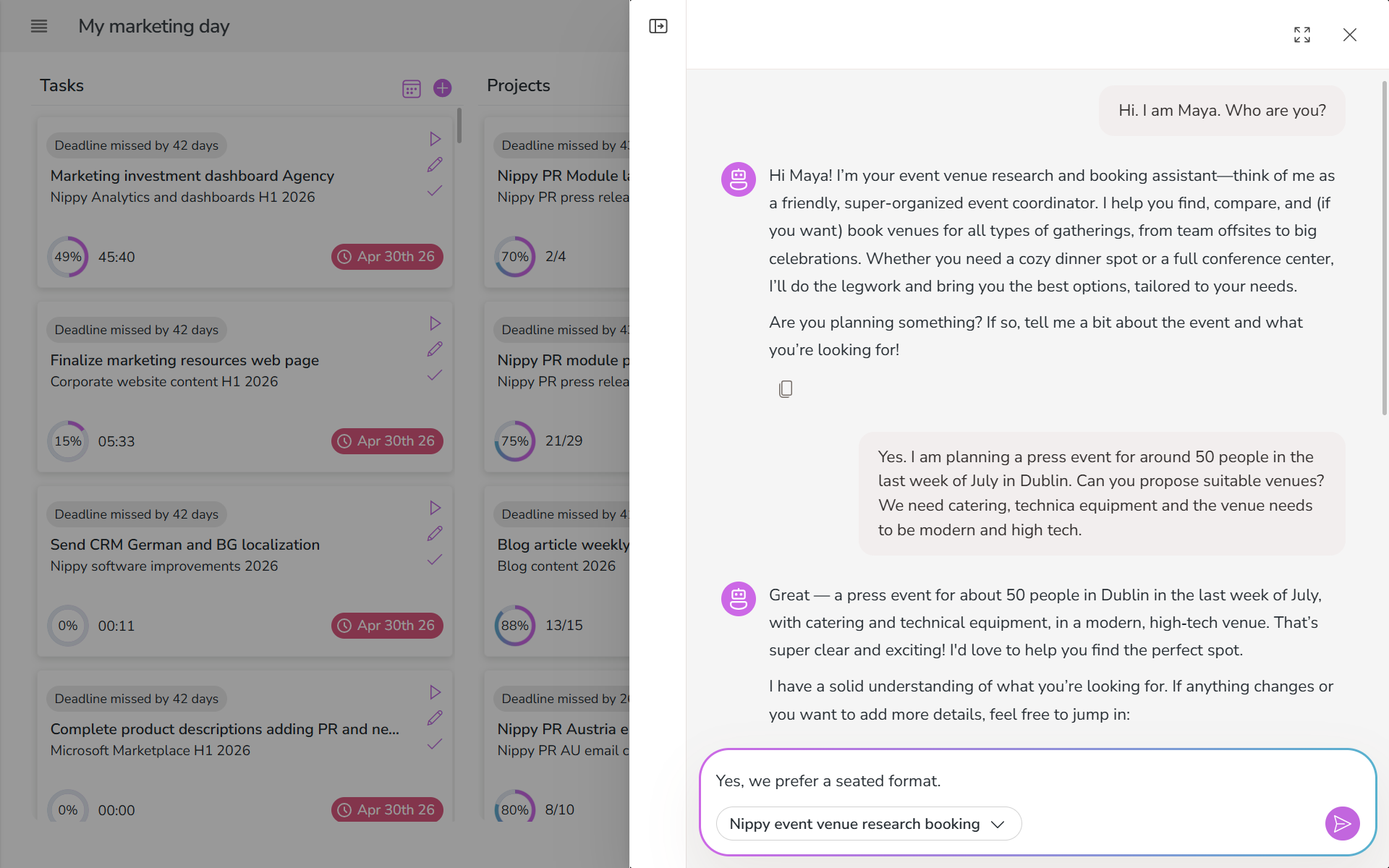
Nippy event venue assistant
Nippy event venue assistant is built to greatly speedup and save time when researching and booking an event venue. In a couple of minutes you will have proposal for 3-5 options, ordered by most appropriate, according to event requirements.
With Nippy event venue assistant you can research, compare, check availability, create enquire emails, and book — all in one conversation.
The agent considers your event requirements — headcount, date, budget, vibe, must-haves — searches the web for matching venues, compiles a comparison table with pricing, capacity, amenities, and ratings, then checks availability. Once you choose a venue, the agent drafts confirmation or inquiry emails with all the event details included. With memory, it learns your venue preferences and standard requirements for faster future planning.
The agent work extends beyond research-only: instead of delivering a recommendation and stopping, it checks availability and helps complete the booking. The prompt helps avoid common planning failures: no fabricated pricing, no bookings without explicit confirmation, no overlooked accessibility requirements.
This pattern applies anywhere an agent needs to research options, present a structured comparison, take action on the user's choice, and draft follow-up communications. Common scenarios for this pattern:
- Vendor selection and outreach for project procurement
- Catering selection and order placement for events
- Travel booking research and reservation assistance

Nippy press release creator
The Nippy press release creator is a press release drafter. It helps creators go from topic idea and provided information to publish-ready draft through a structured process. It is a writing partner, who thinks and writes like a journalist, not a content mill.
Nippy press release creator works in four stages.
The user provides:
- Purpose of the press release – new product announcement, financial results, strategic partnerships, project milestones, CSR, leadership appointment, research report announcement, etc.
- Key facts – sales figures or similar
- Brand name(s) to include
- Executive names to use for a quote
- Target media – business, technology, lifestyle, sports, etc.
- Preferred media – Bloomberg, Reuters, Politico, etc.
When the creator provides a topic and data, the agent searches for current information, relevant data points, and angles on the topic. If you have uploaded a style guide or sample press releases, it reads them to understand their voice and structure.
Then it presents:
- 3 possible angles for the press release (which perspective to take)
- A proposed outline (sections, key points per section)
- Key data points or examples you found in research
- Suggested word count based on topic complexity
After you choose an angle, adjust the outline, or provide feedback, the agent moves to press release draft, while considers the following:
- Matches the creator's voice from their style guide or samples
- Uses style and voice from preferred media
- Weaves in researched data points and examples naturally
- Proposes press release headline
- Proposes press release subtitle that complements the headline
- Includes a compelling opening lead paragraph and clear conclusion
- Includes a compelling quote, using the provided personal name
- Keeps paragraphs short (2-4 sentences for web readability)
- Includes a boilerplate section
The final stage is refinement. Based on creator feedback, the agent:
- Revises specific sections as requested
- Tightens language, improve flow, strengthen weak sections
- Adds or removes examples as needed
- Polishes the opening and closing
- Suggests a title and meta description for SEO
You can go through multiple rounds of the refinement stage until the you are satisfied.
With memory, the agent remembers across conversations:
- The creator's voice preferences (formal vs. casual, long vs. short sentences, use of humor, etc.)
- Structural preferences (list posts vs. narrative, intro style, CTA approach)
- Topics they've covered (avoids repetition)
- Feedback patterns (if they always ask to "make it shorter," starts shorter next time)

Brand mention analysis agent
The Brand mention analysis agent finds, classifies, and summarizes online mentions of a brand.
The user provides:
- Brand name(s) to monitor (required)
- Product names, executive names, or related terms
- Time window (default: last 7 days)
- Any known ongoing situations to watch for
For each unique mention, the agent classifies:
Sentiment:
POSITIVE: praise, awards, favorable reviews, growth coverage
NEUTRAL: factual mentions, industry roundups, passing references
NEGATIVE: criticism, complaints, unfavorable comparisons
CRISIS: legal allegations, data breaches, executive scandals,
boycott calls, regulatory action
Reach:
HIGH: major publications (NYT, WSJ, Bloomberg, top-tier trade press), viral social content
MEDIUM: mid-tier publications, industry blogs, significant social threads
LOW: niche blogs, individual social posts, minor forums
Then, based on the findings, the agent provide a structured report in the following paths:
Path A — ALL CLEAR (no negative or crisis mentions): a standard summary with positive and neutral highlights.
Path B — NEGATIVE MENTIONS (negative but not crisis):
Flags negative mentions prominently and includes context: what the complaint or criticism is, how much reach it has, and whether it's a new issue or recurring theme.
Path C — CRISIS DETECTED (meets any crisis criteria):
Applies URGENT header and summarizes the crisis-level mention(s) first. Include: what happened, which outlets are covering it, estimated reach, and whether the story is growing.
Path D — MIXED (combination of positive and negative):
Lead with any negative/crisis items, then cover positive highlights. Include a brief sentiment balance line.
Industry news and trends scanner
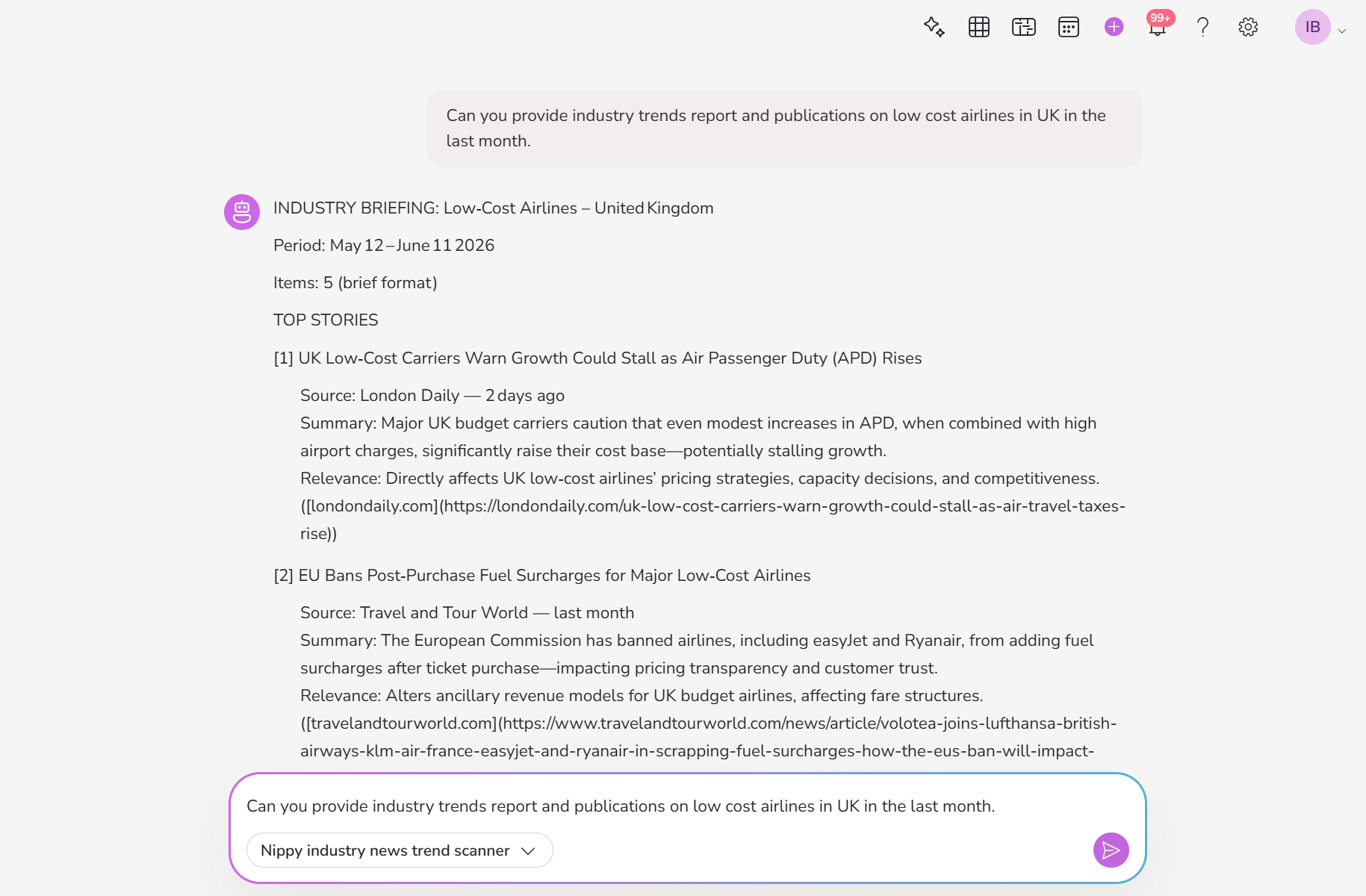
The Industry news and trends agent scans, filters, and summarizes the most relevant news and trends for a given industry in the format of a well-edited morning briefing. No opinions, no editorializing. Just what happened and why it matters.
The user provides:
- Industry or sector to scan (required)
- Specific companies, topics, or competitors to watch (optional)
- Time window (default: last 7 days)
- Delivery preference: brief (5 items) or detailed (15 items)
Based on the provided information, the agent looks for industry news in the current date context, industry trends for the chosen period, looks at specific companies or topics, and industry analyses and reports. All results are with source URL, publication date, and citations.
Then, the agent ranks sources by relevance:
- Directly about the user's specified companies/topics → highest
- Major industry developments → high
- Emerging trends or analysis pieces → medium
- Tangential or low-impact items → exclude
And creates a report in the following structure:
Industry briefing
Top stories, including headline summary, 2-3 2-3 sentences covering what happened and why it matters for the industry, and relevance - why this item was included.
Trend watch
1-2 emerging themes visible across multiple stories. Not a single event, but a pattern.
Quick hits: 3-5 one-line items that are worth noting but don't need full summaries.
And Nippy PR agents have memory. With Nippy AI you can always come back to your agent conversations and they will remember your style, user preferences, facts, and relevant context.
You can access the AI agents from the main menu sidebar, but if you want to stay on the page you are working on, you can open the agent chat from the top sidebar.
Schedule a demo or just login in Nippy for free.