






How to do online media monitoring with Nippy PR
Nippy Online Media Monitoring allows you to search and extract relevant media monitoring from thousands of sources from anywhere in the world.
It is an interactive management tool, connected to Nippy Media Relationship Management and Nippy Media Response analytics.
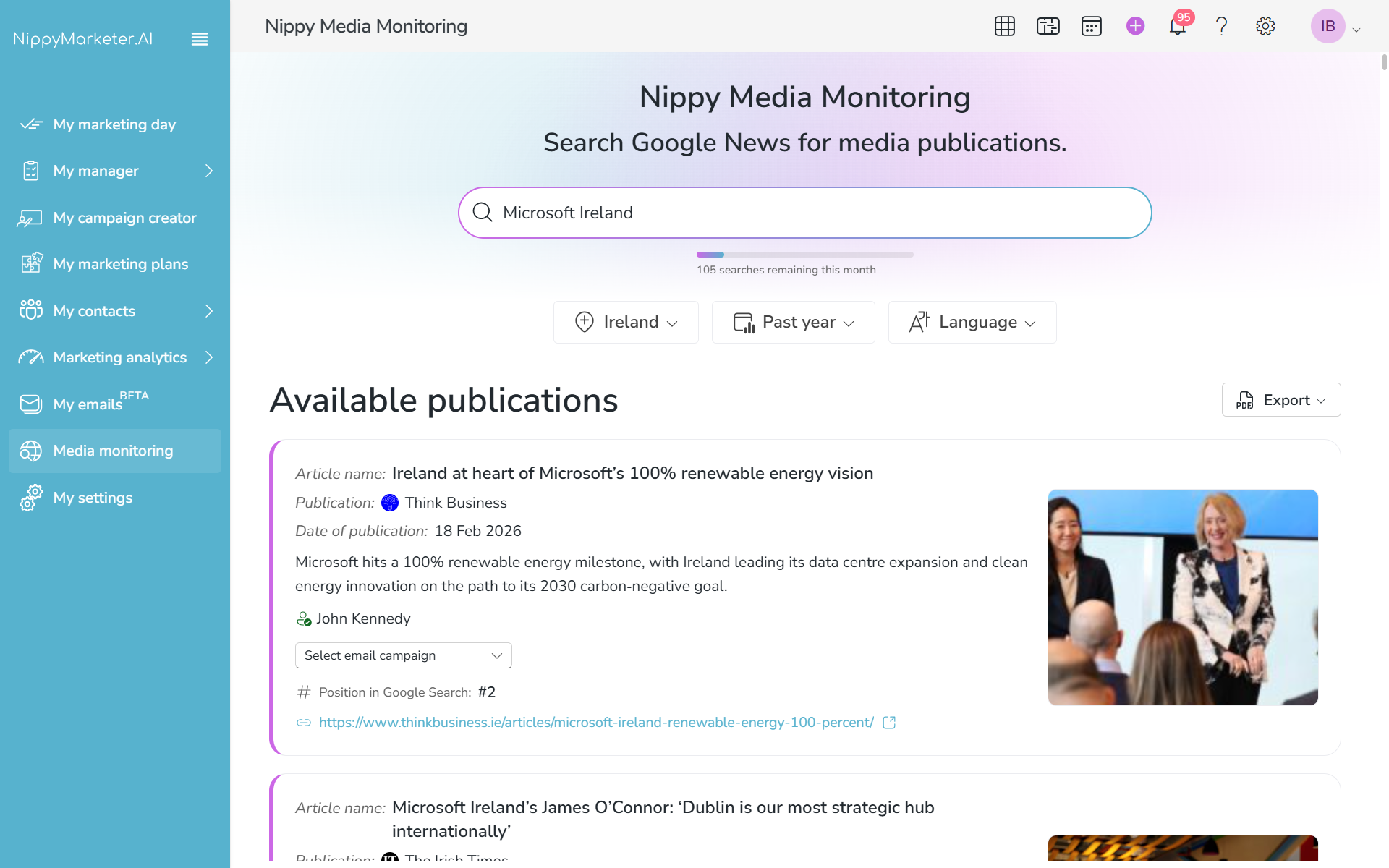
Part of the data you could see after executing a media search, is the article's author.
When you have the author available, Nippy will check if they are available in your MRM. If they are available in your media dabatase, you will see the green check; if they are not, you will have the opportunity to quickly add them to your MRM.
Nippy Media Monitoring is available for Nippy Integrate and Nippy Agency subscribers. Nippy Integrated subscribers have limit of 60 searches per user per monthg and Nippy Agency have 120 searches per user per month. If you need more searches, please contacts us at sales@nippymarketer.ai.
How to add authors from Nippy Media Monitoring
- Go to Media Monitoring in the sidebar menu.
- Type search keyword in the search bar.
- Choose country, time period or language.
- Press ENTER.
- In the cards with author data, next to their name you will see a notification if they are in your MRM or not.
- If not, the ADD AUTHOR button will appear next to their name. Click the ADD AUTHOR button. This will open the contact form with already populated available data on this contact.
- Edit the contact form and click SAVE.