

NippyMarketer.AI
Pricing
About
Contacts
Nippy media icon_32_regular violet
Media + AI MRM

Ready-to-use media lists in AI-powered media CRM.

NippyMarketer email module icon violet
PR Email

Personalized press releases, interview pitches, and media events invitations.

NippyMarketer media monitoring module icon violet
AI Media Monitoring

Smart media monitoring, reporting, and alerts.

Nippy marketer analytics icon 20260304
PR Analytics

The complete PR process analytics.

Nippy AI PR icon lavender 20260611
Nippy AI

AI PR agents, Nippy AI Sentiment, AI key topics analysis, MRM AI Search.

Nippy Event Manager violet icon 20261008
Event Manager

Budget, plan, and manage any type of event.

Nippy PR marketer content creator icon violet
Online Content Creator

Design, publish and share beautiful online content and forms.

NippyMarketer marketing plan module icon lavender
Smart Marketing Plan

Budgets and costs for brands, business units, clients, periods.

Nippy gannt icon fluent violet
Tactical PR and Marketing Management

Dashboard, Campaign Creator, Simulator, GANTT, Calendar, Grid.

Nippy marketing analytics icon violet 20250928
PR and Marketing Analytics

Marketing operations, investment, and performance.

Nippy marketer media relationship management module
Try All Features For Free
Internal teams

All the tools and media to execute integrated PR.

PR Agencies

Deliver more campaigns with less resources.

Nippy PR marketing professionals analyze PR performance 20261002

Create plan and budget events in Nippy

In Nippy Event Manager you can budget any itema and control for costs, profit, budget utilization.

Here is how to create plan and budget for events in Nippy:

How to add budget items in Nippy

An event in Nippy is a campaign. The budget lines of the event are projects, part of the event campaign. Therefore, creating a budget item, creates a project.

Similarly, adding projects under the event campaign, creates event budget items. This means that you can create event budget items from anywhere in Nippy. More on adding projects to a campaign here.

Every project can have budget and costs. How to set financials for project read here.

To manage event financial and set budget in Nippy Event Manager:

  1. Go to the main menu My events, open the event you need to budget and go to the Budget tab.
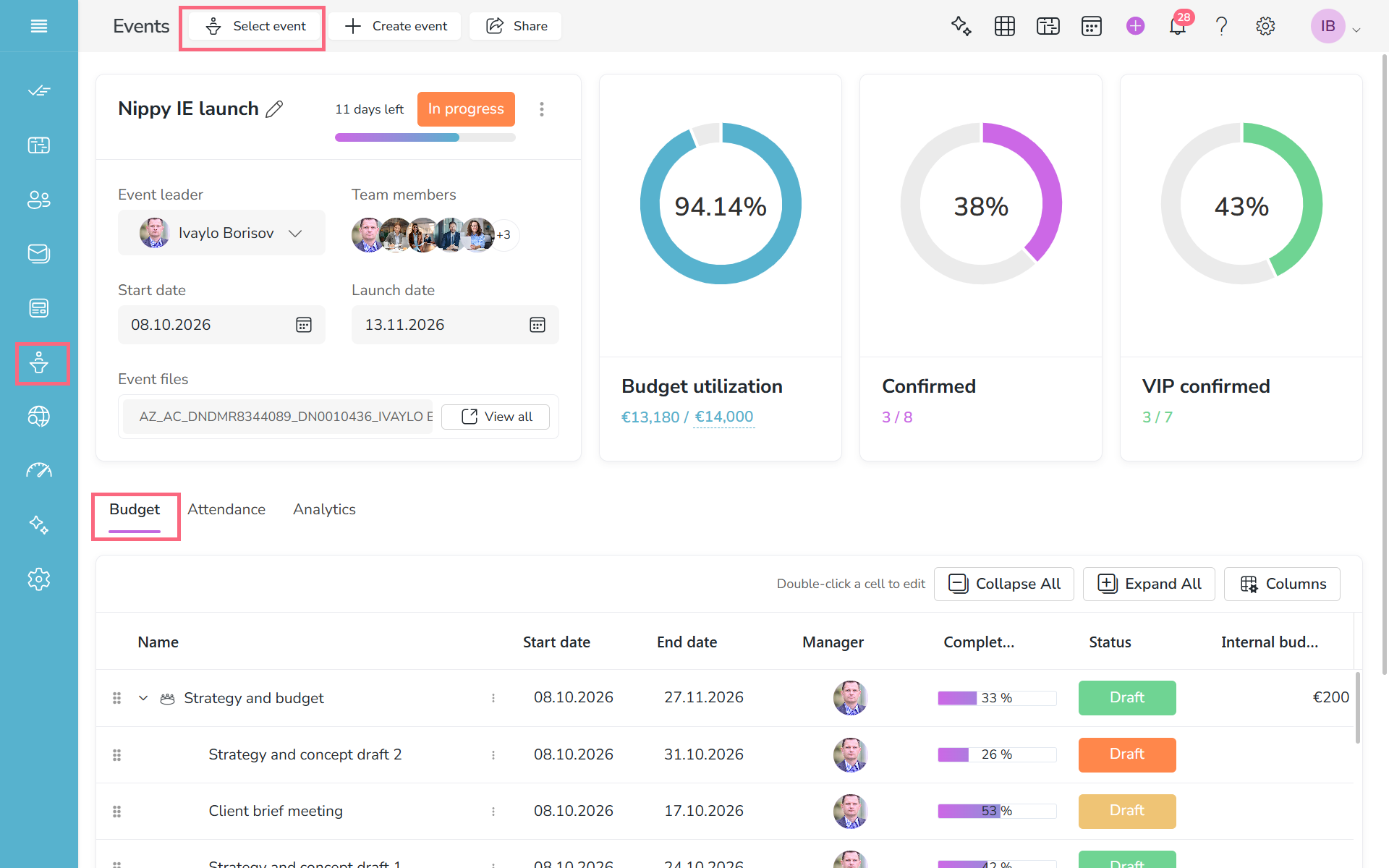
 

Manage event budget in Nippy PR marketer 20261102

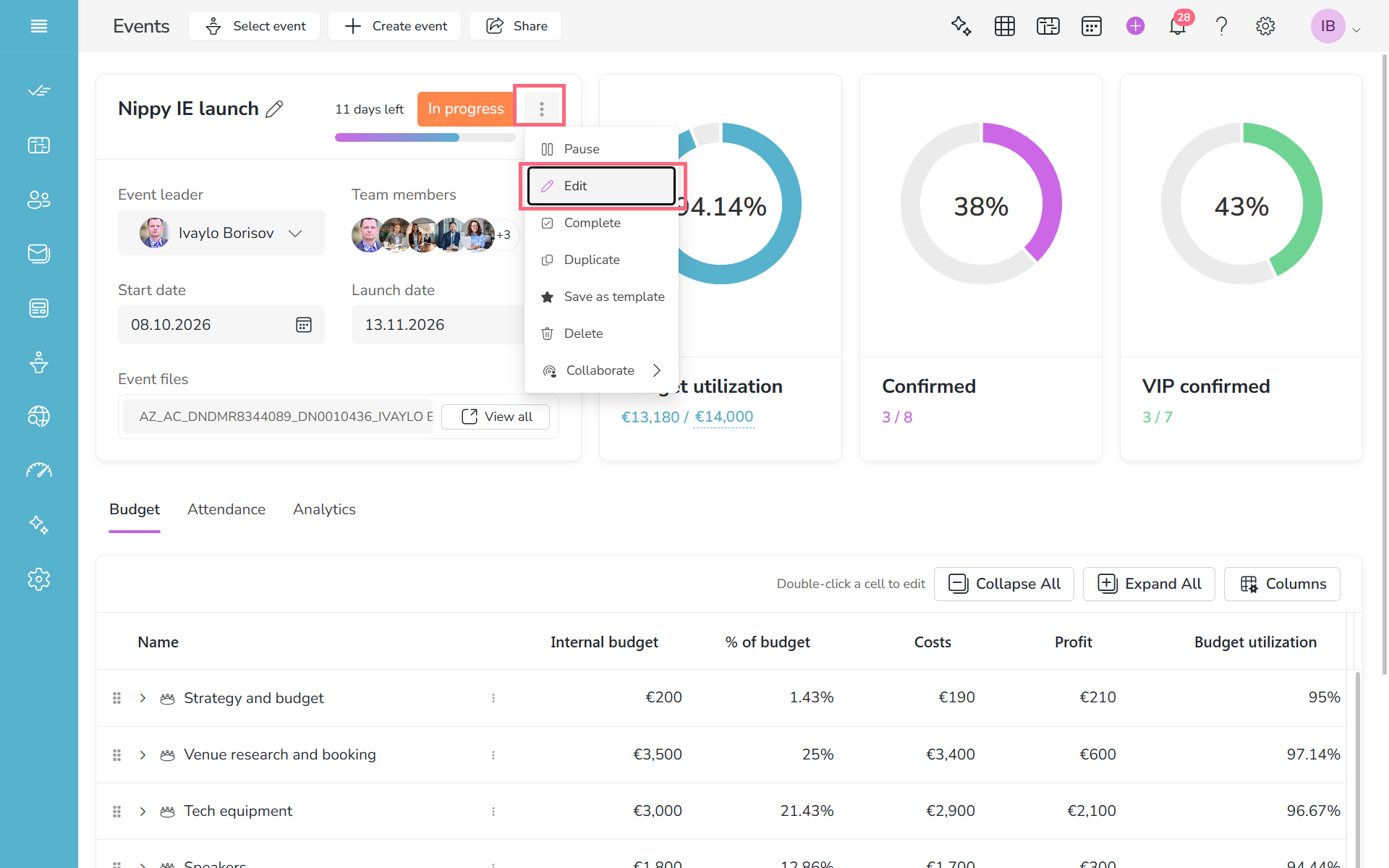
2. Open to edit the event campaign.

Open to edit the event campaign in Nippy event manager 20261102

3. Add any number of budget lines/projects in the event campaign form.
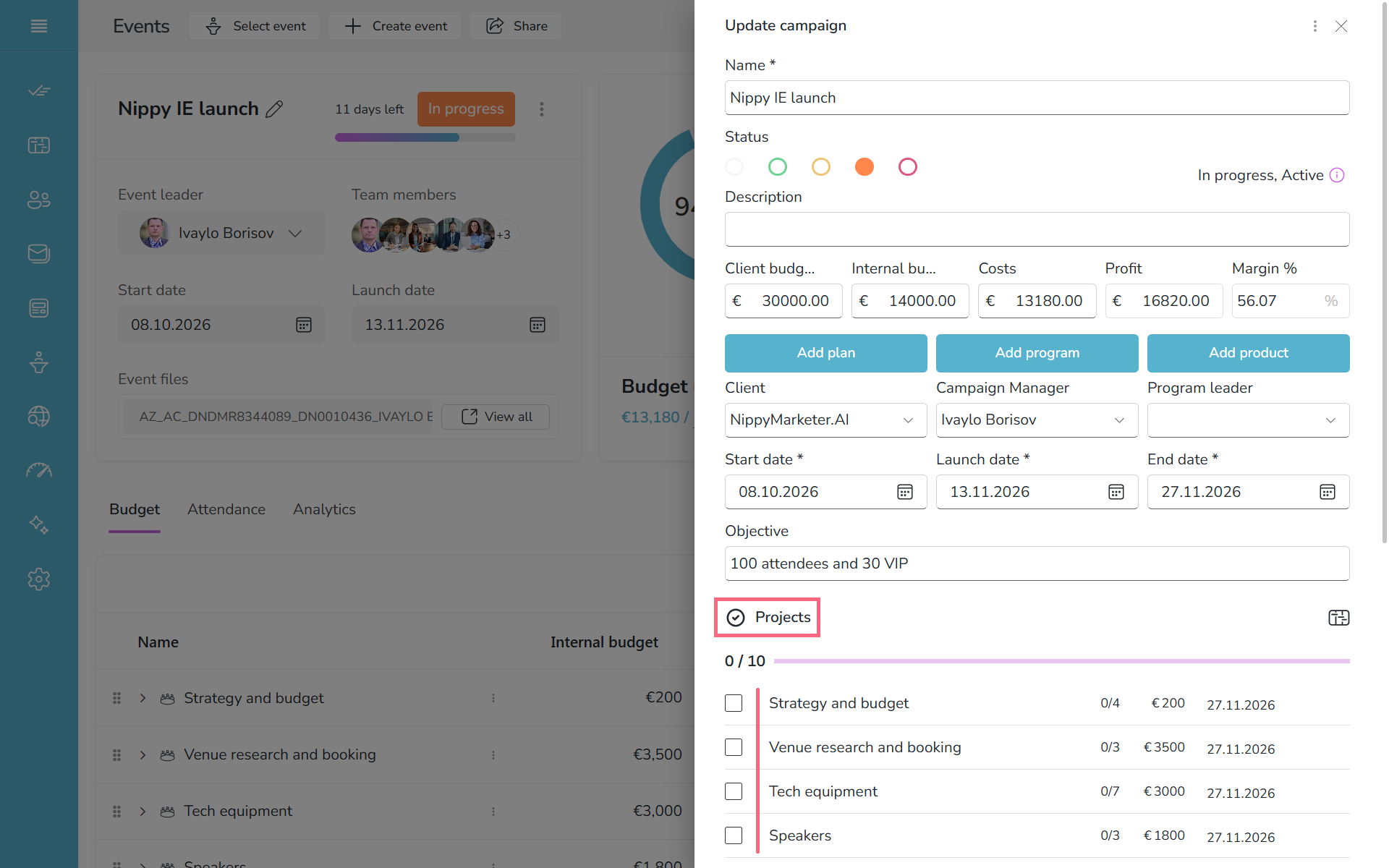
Add budget projects in Nippy event campaign form 20261102

4. Open the project form to add or edit the project's budget.

Edit event project budget in Nippy event manager 20261102

5. Or, double click on the budget cell in the project row in the event plan and edit the budget amount.
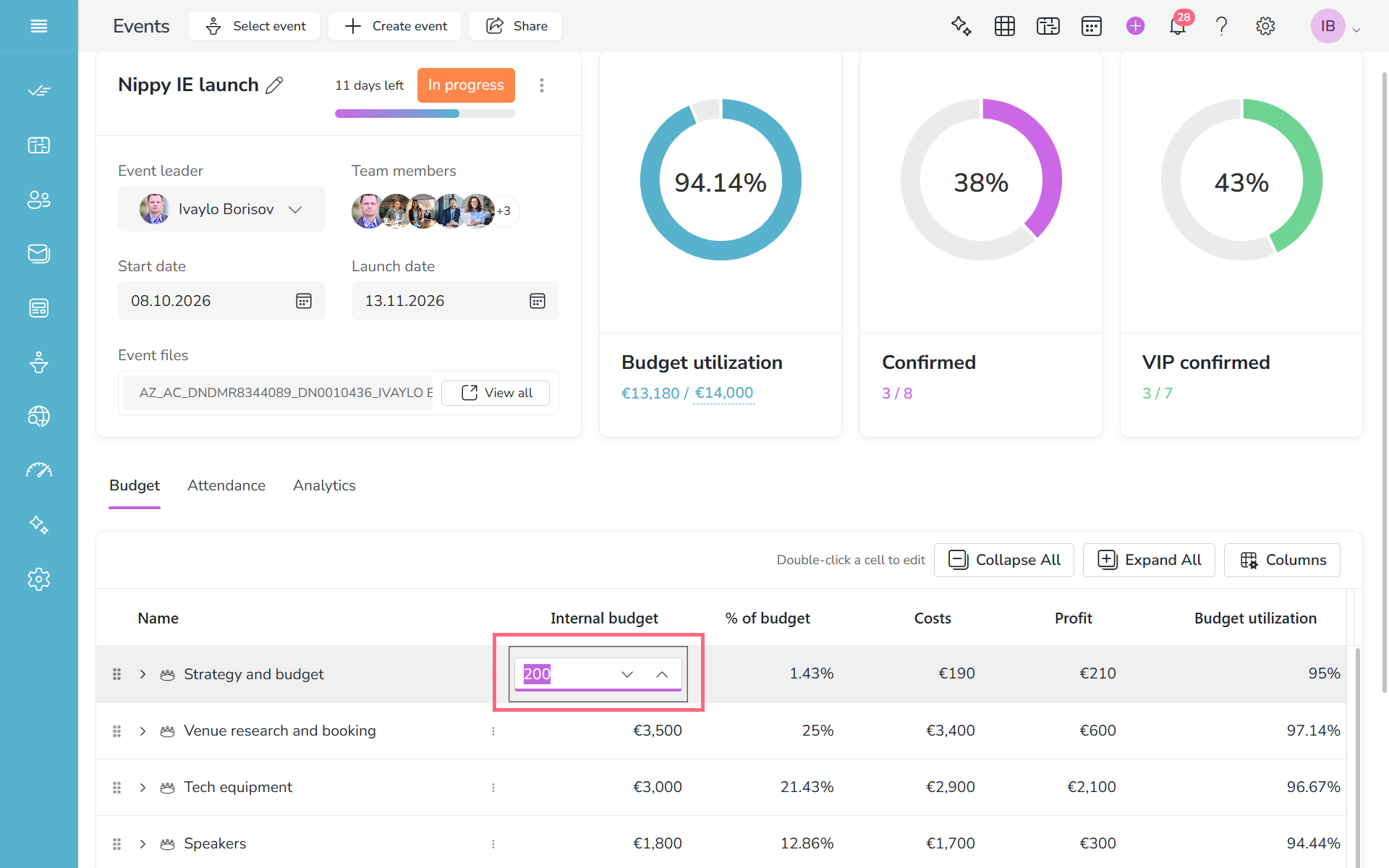
Edit event project budget in Nippy event manager plan 20261102
Nippy violet logo 400 x 100 px
Privacy Overview

This website uses cookies so that we can provide you with the best user experience possible. Cookie information is stored in your browser and performs functions such as recognising you when you return to our website and helping our team to understand which sections of the website you find most interesting and useful.