


NippyMarketer.AI
Pricing
About
Contacts
Nippy media icon_32_regular violet
Media + AI MRM

Ready-to-use media lists in AI-powered media CRM.

NippyMarketer email module icon violet
PR Email

Personalized press releases, interview pitches, and media events invitations.

NippyMarketer media monitoring module icon violet
AI Media Monitoring

Smart media monitoring, reporting, and alerts.

Nippy marketer analytics icon 20260304
PR Analytics

The complete PR process analytics.

Nippy AI PR icon lavender 20260611
Nippy AI

AI PR agents, Nippy AI Sentiment, AI key topics analysis, MRM AI Search.

Nippy Event Manager violet icon 20261008
Event Manager

Budget, plan, and manage any type of event.

Nippy PR marketer content creator icon violet
Online Content Creator

Design, publish and share beautiful online content and forms.

NippyMarketer marketing plan module icon lavender
Smart Marketing Plan

Budgets and costs for brands, business units, clients, periods.

Nippy gannt icon fluent violet
Tactical PR and Marketing Management

Dashboard, Campaign Creator, Simulator, GANTT, Calendar, Grid.

Nippy marketing analytics icon violet 20250928
PR and Marketing Analytics

Marketing operations, investment, and performance.

Nippy marketer media relationship management module
Try All Features For Free
Internal teams

All the tools and media to execute integrated PR.

PR Agencies

Deliver more campaigns with less resources.

Nippy PR marketing professionals analyze PR performance 20261002

How to import media files in Nippy MRM

If you have an existing media database, you can easily upload it in the Nippy MRM.

The file must be .XLSX or .CSV and must correspond to certain structure.

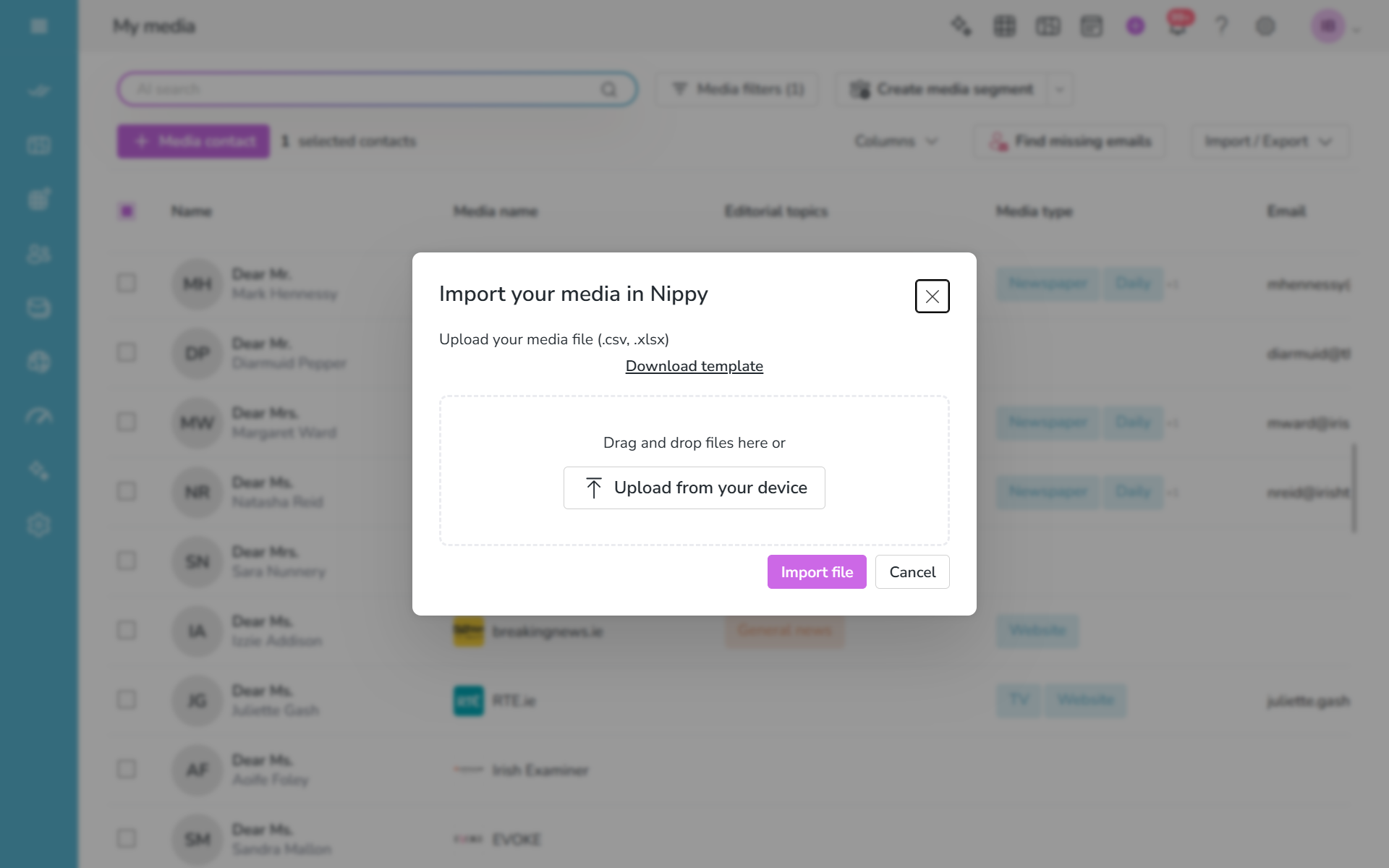
How to upload media files in Nippy

  1. Go go your Nippy MRM.
  2. Click on the Import media button
  3. Download the example file and make sure your file corresponds to the example format. You can download the file here.
  4. Format the file
  5. Click on the Upload from your device button and upload yopur file
  6. You will see confirmation, if your file upload is successful
Nippy pr marketer import media database 20260906

Data format requirements

There are some conditions for uploaded in Nippy MRM data:

  • Make sure the column name follow the example file format.
  • Be careful about data formatting in your file.
    • Phone, work and mobile numbers up to 20 characters
    • First name, last name, middle name, country and city up to 100 characters
Nippy violet logo 400 x 100 px
Privacy Overview

This website uses cookies so that we can provide you with the best user experience possible. Cookie information is stored in your browser and performs functions such as recognising you when you return to our website and helping our team to understand which sections of the website you find most interesting and useful.