






How to create media monitoring alerts in Nippy
With Nippy Media Alerts you can create, activate, manage, delete daily or weekly media alerts on any keyword.
You will receive email and system notifications when your Nippy Media Alert dashboard is ready.
Nippy AI Sentiment is available for Nippy Integrate and Nippy Agency subscribers. Nippy users have limit of the available tokens per user per month. You can see your media extraction usage in your profile settings. If you need more tokens, please contacts us at sales@nippymarketer.ai.
How to create Nippy Media Alert
You can create any number of alerts for any keyword.
- Go to Nippy Media Monitoring
- Below the search bar on the right you will see the Brand monitoring alerts button. When you click the button, and if you don't have any alerts, you will see a popup. Enter your keyword, choose country and period and click create.

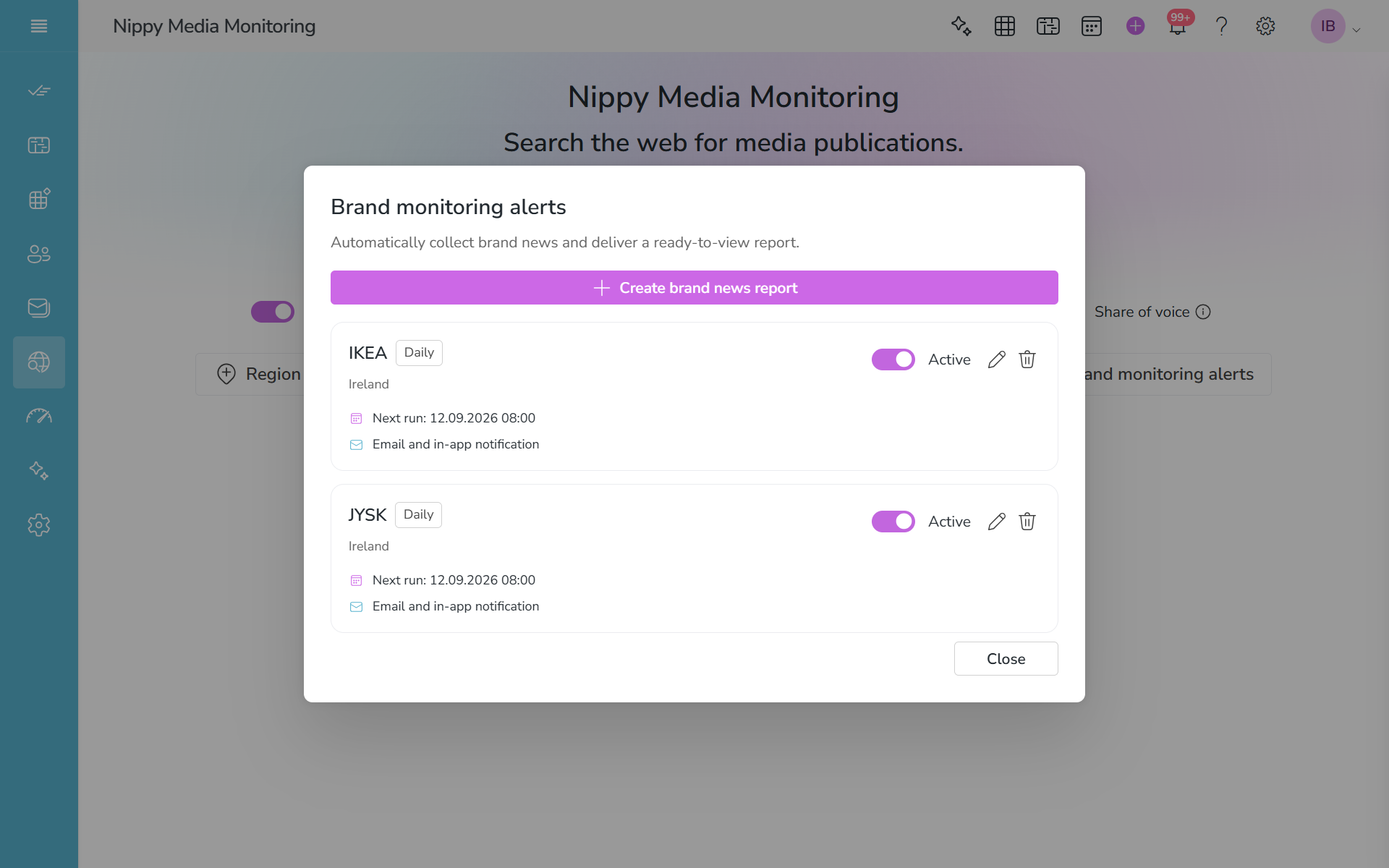
If you already have media monitoring alerts, you will see the alerts management popup.
- If you wan to create new alerts, click on the Create brand news report and fill-in the requirements.
- If you want to pause and existing alerts, uncheck the checkbox next to Active.
- If you want to change your media alerts, click on the edit icon.
- If you want to permanently delete an alert, click on the detele icon.

See more in the video: