

NippyMarketer.AI
Pricing
About
Contacts
Nippy media icon_32_regular violet
AI Media Relationship Management

Media lists in AI-powered media CRM.

NippyMarketer email module icon violet
PR Email

Personalized press releases, interview pitches, and media events invitations.

NippyMarketer media monitoring module icon violet
AI Media Monitoring

Smart media monitoring and reporting.

Nippy marketer analytics icon 20260304
PR Analytics

The complete PR process analytics.

Nippy AI PR icon lavender 20260611
Nippy AI

AI PR agents, Nippy AI Sentiment, AI key topics analysis, MRM AI Search.

Nippy PR marketer content creator icon violet
Online Content Creator

Design, publish and share beautiful online content.

NippyMarketer marketing plan module icon lavender
Smart Marketing Plan

Budgets and costs for brands, business units, clients, periods.

Nippy marketing day icon violet 20250928
Marketing Dashboard

The guide in your daily marketing responsibilities.

Nippy gannt icon fluent violet
Tactical PR and Marketing Management

Dashboard, Campaign Creator, Simulator, GANTT, Calendar, Grid.

Nippy marketing analytics icon violet 20250928
PR and Marketing Analytics

Marketing operations, investment, and performance.

Nippy marketer media relationship management module
Try All Features For Free

How to create and publish online content in Nippy

How to create content in Nippy

  1. Go to Web content in the main sidebar menu. You will see the list of your content.
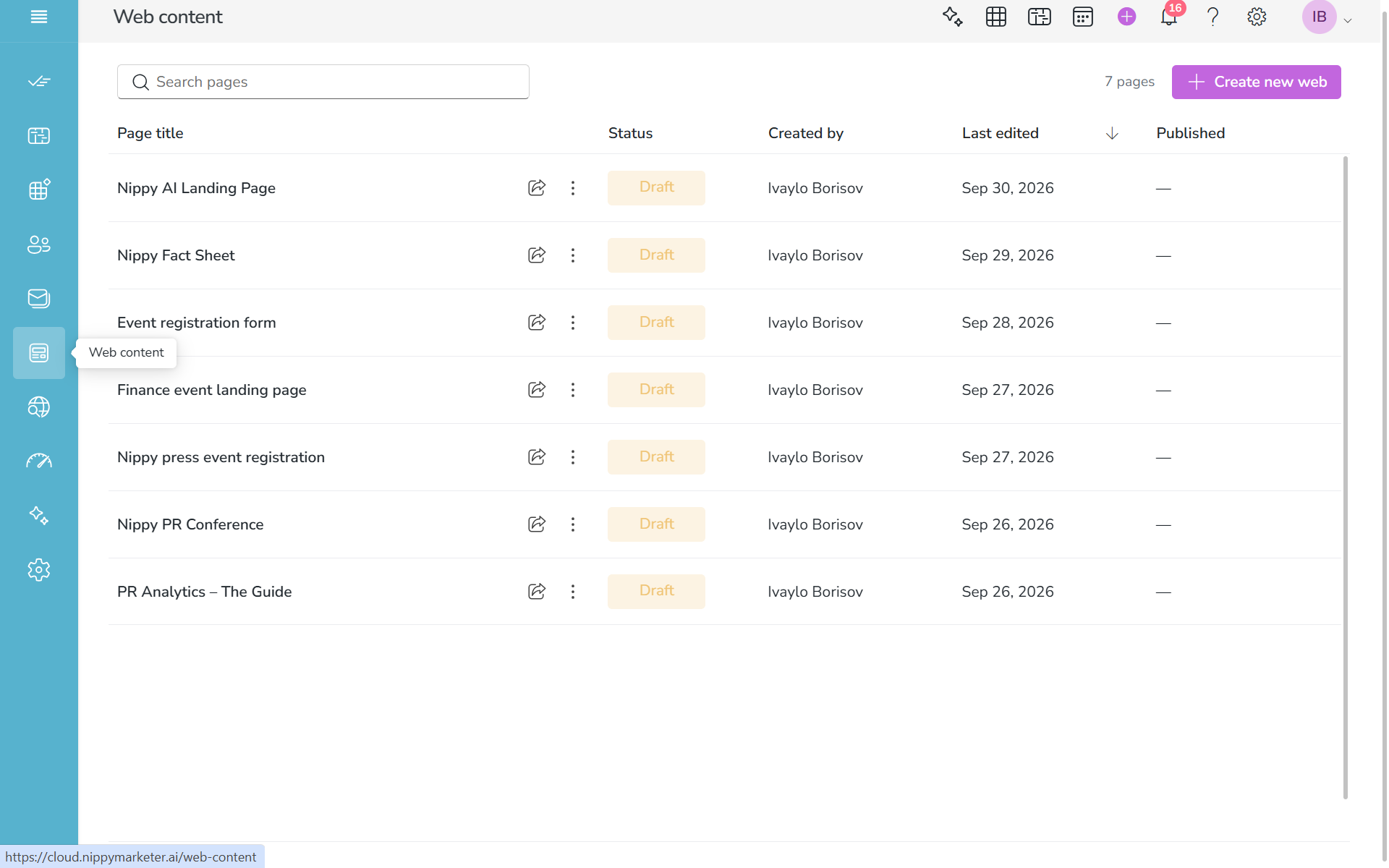
Content management in Nippy PR Content Creator 20261004

2. Click Create new web button in the top righ corner. You will see the Nippy Content Editor. In Nippy Content Creator you have two editors - Rich Text Editor and a Block Editor. You can swtich between the two editors to use the one you feel more confrotable with and more suitable to your types of content. By default you will see the Nippy Rich Text Editor.
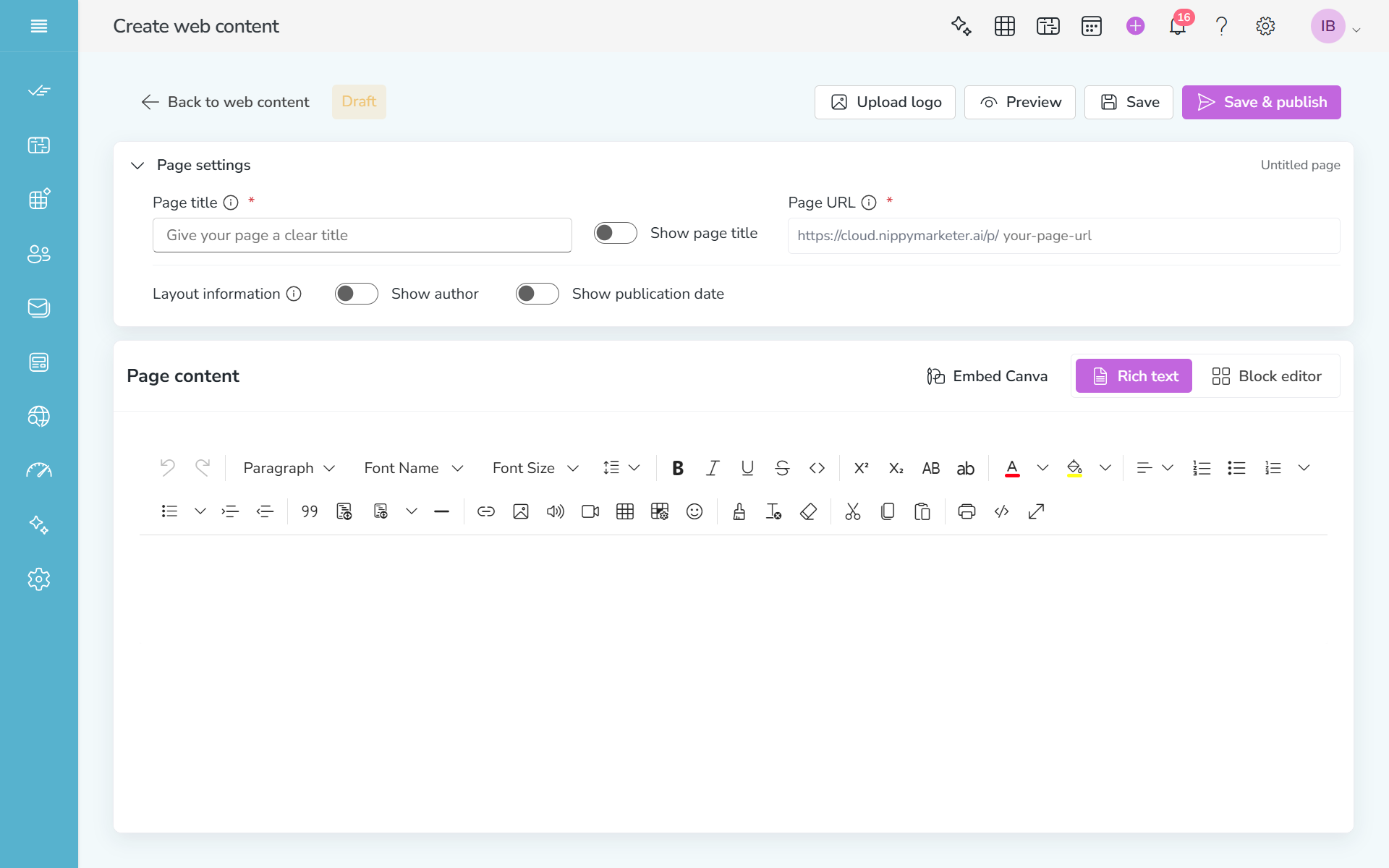
Create new content in Nippy PR content creator 20261004

3. Create and edit your content in the content editor area. In Nippy Reach Text editor you can copy any HTML code, using the View code  in the tool bar.

Always save your work.

4. When done, check with Preview.

5. When satisfied with your content and URL, click Save & Publish. Your content will go live.


Nippy violet logo 400 x 100 px

Privacy Overview

This website uses cookies so that we can provide you with the best user experience possible. Cookie information is stored in your browser and performs functions such as recognising you when you return to our website and helping our team to understand which sections of the website you find most interesting and useful.